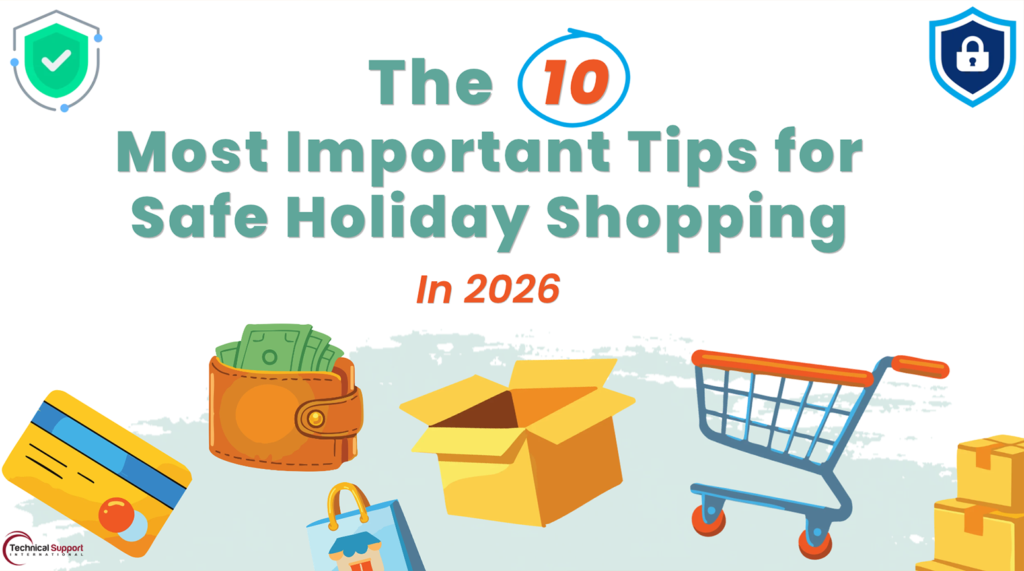
The 10 Most Important Tips for Safe Holiday Shopping in 2026
Christopher Souza | CEO
Black Friday is nearly here, and holiday shoppers are already comparing prices, searching for fun gift ideas, and watching for early sales. Before you start filling your cart, remember how much information you hand over at checkout, especially your name, address, email, and payment details that are as valuable to you as they are to scammers.
This year has brought fresh examples of fake shopping sites, AI-assisted deception, and concerns about how shopping apps safeguard personal data. A convincing advertisement or familiar logo can make an unfamiliar seller seem trustworthy so we’ve put together these 10 holiday shopping safety tips to help keep your holidays a bit safer.
1. Keep Your Devices Updated
Start with the device you are shopping on. Install updates for your operating system, browser, and shopping apps, and keep security software enabled. Turn on automatic updates where appropriate so important fixes do not get buried. Download apps through official app stores, and follow your company’s policies when using a work device.
2. Check the Store Before You Check Out
The new iPhone Duo retails for around $2,000, so seeing it advertised for 90% might be too good to be true and deserves a closer look. Before buying anything from an unfamiliar retailer:
- Compare the price with established stores like Target, Best Buy, Wal-Mart, etc.
- Read recent reviews from more than one source.
- Check the website address for misspellings or extra words. For example, www.targte.com instead of www.target.com.
- Find the return policy and a working customer service contact page.
A polished website and a sale countdown should never replace important security checks.
3. Choose Your Payment Method Carefully
Use a credit card when possible. The FTC recommends it because you can dispute certain charges, including purchases that never arrive. Avoid sellers insisting on gift cards, wire transfers, cryptocurrency, or payment through a separate person-to-person account.
Also watch for callers claiming your account is compromised and telling you to withdraw cash or visit a cryptocurrency ATM. These instructions are often part of a scam. Hang up and contact your bank immediately.
4. Look Beyond Convincing AI Ads
A familiar face promoting a bargain may have nothing to do with the offer. The FBI has warned that criminals use AI-generated celebrity images to promote counterfeit products and purchases that never arrive. Check the promotion through the retailer’s official website before paying.
5. Watch for Fake Social Media Storefronts
TikTok Shop impersonation scams are everywhere and need to be taken seriously. Between May and September of this year, there were over 320,000 blocked requests to one suspected TikTok Shop that was falsely imitating a larger, established realtor.
Stick to the realtors you know, read the recent reviews, and trust your instincts. Seeing a once-in-a-lifetime deal on Instagram of TikTok might seem perfect in the moment, but you know when a deal is too good to be true.
6. Review What Information Shopping Apps Collect
Do you ever feel like your phone is listening to you? You can be talking about something on Temu and the next time you open up your phone, you’ll see a Temu ad for that exact item. Shopping apps often collect more than your name and shipping address. Your purchase history, browsing activity, and location may also be collected and used for targeted advertising or shared with other companies. Before creating an account or downloading an app, check what information it collects and how that information is used.
Only provide the information needed for your purchase, skip optional personal questions, select “no” to accepting cookies, and turn off permissions you do not need, such as access to your contacts, photos, or precise location. Check with your IT team before installing shopping apps on a work device
7. Double Check Delivery and Payment Messages
An unexpected text about an undeliverable package can seem believable when several orders are on the way. Be cautious of messages asking you to update a shipping address, verify payment details, or pay a small redelivery fee.
Open the retailer’s app or visit the carrier’s website yourself and check the tracking number from your original order.
8. Be Careful Where You Connect
If you are shopping while traveling, use your cellular connection or personal hotspot when you are unsure about a public Wi-Fi network. A reputable VPN can add protection by encrypting traffic between your device and the VPN service, but it cannot make a fraudulent store trustworthy. Whichever connection you use, check for HTTPS and stop if your browser displays a security warning. It’s better to stay safe than sorry.
9. Give Every Account Its Own Password
Reusing the same password across shopping accounts seems convenient, but it actually just gives criminals more opportunities if one account is compromised. Use a password manager to create and store unique passwords, and enable multifactor authentication whenever it is available. Apply those protections to your email account as well, since it often receives password reset links.
10. Keep Receipts and Monitor Your Accounts
Save order confirmations, promised delivery dates, and return policies. Turn on transaction alerts and check statements for unfamiliar charges. If something goes wrong, contact the seller through verified details and notify your card issuer promptly. Keep records of those conversations, and report suspected fraud at ReportFraud.ftc.gov. If you entered work credentials or downloaded something suspicious on a company device, notify your company’s IT team immediately.
Contact TSI Today!
Holiday scams can reach employees through the same devices and accounts they use for work. Technical Support International’s (TSI’s) cybersecurity services include employee awareness training, phishing simulations, vulnerability scanning, and security monitoring. If your business needs help preparing employees or reviewing its defenses, contact TSI today.
The holiday season should be a time for rest and relaxation, so stay proactive and don’t let scammers take advantage of you. Stay safe, stay healthy, and from all of us at TSI, we wish you the happiest of holidays.

About Technical Support International
TSI is 37-year old cybersecurity (MSSP) and IT support (MSP) company specializing in helping DIB organizations address their NIST 800-171 and CMMC compliance obligations. As a CMMC-AB Registered Provider Organization (RPO), TSI offers a complete NIST 800-171 and CMMC support solution to help guide our clients toward a successful certification audit and provide the assurance that they’re adhering to these expansive compliance requirements.

Cyber Security Policy Starter Kit:
10 Critical Policies That Every Company Should Have in Place